 TIMEBUCKS
Low minimum
payout of just
$3 — start
earning today!
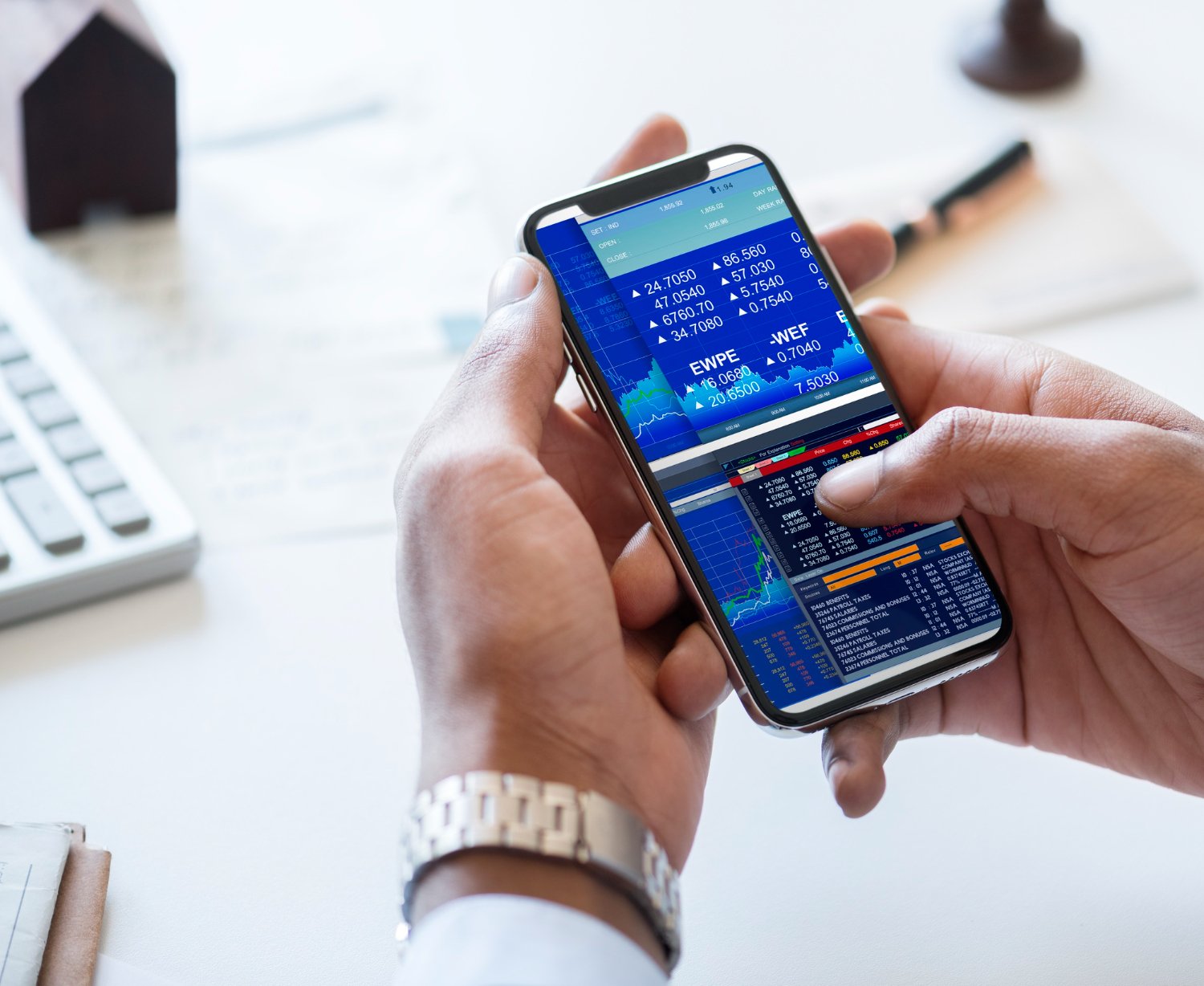
Mobile forex trading has revolutionized how Kenyan traders access global currency markets. With smartphones becoming increasingly powerful and affordable, you can now analyze charts, execute trades, and manage your portfolio entirely from your phone—anywhere with internet connection.
The best forex trading apps in Kenya include MetaTrader 4 (MT4), MetaTrader 5 (MT5), and proprietary mobile apps offered by CMA-licensed brokers. These apps provide full trading functionality, real-time charts, technical analysis tools, instant trade execution, and account management features. Most brokers offer apps for both Android and iOS devices with M-Pesa integration for deposits and withdrawals.

This guide explores the top forex trading apps available to Kenyan traders, explains their features, compares different options, and helps you choose the best mobile trading solution for your needs.
Why Mobile Forex Trading Matters in Kenya
Kenya’s high mobile penetration rate and advanced mobile money infrastructure make smartphone-based trading particularly relevant for local traders.
Advantages of Mobile Trading
Trade Anywhere: Execute trades from your office, home, during commute, or while traveling. As long as you have internet connection, you can access markets.
Instant Market Access: Respond quickly to market opportunities or news events without needing to rush to a computer. Speed often matters in forex trading.

Real-Time Monitoring: Track open positions throughout the day, receive price alerts, and monitor account balance from your phone.
Convenience: Most Kenyans spend significant time on smartphones daily. Trading apps integrate seamlessly into your existing mobile routine.
Lower Barriers: You don’t need an expensive computer to trade forex. A mid-range smartphone provides everything necessary for successful trading.
M-Pesa Integration: Mobile apps typically offer the best integration with M-Pesa for deposits and withdrawals, making fund management simple.
Push Notifications: Receive instant alerts about price movements, filled orders, margin calls, or important market news.
Offline Preparation: Analyze charts, plan trades, and set price alerts during offline moments, then execute when you have connection.

Mobile Trading Considerations
Screen Size Limitations: Smaller screens make detailed chart analysis more challenging compared to large computer monitors.
TIMEBUCKS
Low minimum
payout of just
$3 — start
earning today!
Internet Dependency: Mobile trading requires stable internet. Poor connections cause execution delays or failed orders.
Battery Consumption: Trading apps, especially with real-time data, drain phone batteries faster than regular apps.

Data Usage: Constant market data streaming consumes mobile data if you’re not on WiFi.
Touch Interface: Placing precise orders or drawing on charts can be harder on touchscreens compared to mouse and keyboard.
TIMEBUCKS
Low minimum
payout of just
$3 — start
earning today!
Distractions: Mobile trading can tempt you to overtrade or check positions obsessively throughout the day.
Despite these considerations, modern forex apps have become sophisticated enough that many traders successfully trade entirely from mobile devices.
MetaTrader 4 (MT4) in Kenya
MetaTrader 4 is the world’s most popular forex trading platform, trusted by millions of traders globally and widely used in Kenya.
What Makes MT4 Popular
Industry Standard: Most CMA-licensed brokers offer MT4, giving you consistent experience across different brokers.
Proven Reliability: MT4 has operated successfully since 2005, establishing a track record of stability and dependability.
Large User Community: Extensive online resources, tutorials, forums, and support materials exist because of MT4’s popularity.
Free Indicators: Thousands of free custom indicators and tools available for download enhance your technical analysis.
User-Friendly Interface: Despite powerful features, MT4 remains relatively easy to learn for beginners.
Expert Advisors: MT4 supports automated trading through Expert Advisors (EAs) if you want to test algorithmic strategies.
MT4 Mobile App Features
Available Platforms: Download from Google Play Store (Android) or Apple App Store (iOS).
Full Trading Functionality:
- Place market orders, limit orders, and stop orders
- Set stop-loss and take-profit levels
- Modify existing positions
- Close trades partially or completely
- View open positions and pending orders
- Access complete account history
Charting Capabilities:
- Nine timeframes from 1-minute to monthly charts
- Three chart types: bars, candlesticks, and line charts
- 30 built-in technical indicators
- 24 analytical objects (trend lines, channels, Fibonacci tools)
- Zoom and scroll through historical data
- Multiple charts open simultaneously
Account Management:
- Real-time balance and equity display
- View margin level and free margin
- Check swap charges and commissions
- Review profit/loss on open trades
- Access detailed account statements
Market Watch:
- Live quotes for all currency pairs
- One-click trading from quote window
- Tick charts showing price updates
- Quick access to trading specifications
Price Alerts:
- Set price alerts for specific levels
- Receive notifications when prices reached
- Audio, visual, or push notification options
- Multiple alerts for different pairs
News and Analysis:
- Built-in news feed with market updates
- Economic calendar showing important releases
- Push notifications for major news
MT4 Kenya: Getting Started
Download Process:
- Open Google Play Store or Apple App Store
- Search “MetaTrader 4”
- Verify developer is MetaQuotes Software Corp
- Download and install the official app
- Open app after installation
Connecting to Your Broker:
- Launch MT4 app
- Tap “Settings” or menu icon
- Select “New Account”
- Choose “Login to existing account”
- Search for your broker’s server
- Enter login credentials from broker
- Tap “Sign In”
Alternative Method:
- Some brokers provide direct app downloads from their website
- These are customized MT4 versions with broker server preselected
- Follow broker’s specific installation instructions
Demo Account Practice:
- Open demo account directly from MT4 app
- Select “Open Demo Account” from menu
- Choose broker or default MetaQuotes server
- Fill in basic information
- Receive demo login credentials
- Practice without risking real money
MT4 Mobile Tips for Kenyan Traders
Save Mobile Data: Download charts and historical data while on WiFi, then use cached data when on mobile network.
Use Quick Trading: Enable one-click trading in settings for faster order execution during volatile periods.
Customize Layouts: Save chart templates with your preferred indicators and settings for quick access.
Set Price Alerts: Use alerts instead of constantly checking prices to conserve battery and reduce stress.
Enable Biometric Login: Use fingerprint or face ID for secure but convenient access.
Backup Settings: Save your account credentials securely in case you need to reinstall the app.
Learn Keyboard Shortcuts: Familiarize yourself with gesture controls and shortcuts for efficient navigation.
MetaTrader 5 (MT5) in Kenya
MetaTrader 5 is the successor to MT4, offering additional features and capabilities while maintaining similar interface and functionality.
MT5 vs MT4: Key Differences
Additional Timeframes: MT5 offers 21 timeframes compared to MT4’s 9, allowing more detailed analysis.
More Indicators: 38 built-in technical indicators versus MT4’s 30.
Enhanced Order Types: MT5 includes additional order types like Buy Stop Limit and Sell Stop Limit.
Economic Calendar: Built-in economic calendar more comprehensive than MT4’s basic news feed.
Depth of Market: MT5 shows market depth, displaying pending orders at different price levels.
Hedging and Netting: MT5 supports both hedging (multiple positions on same pair) and netting (single net position) systems.
Better Performance: MT5 generally runs faster with better optimization for modern devices.
Market Access: MT5 supports stocks and futures in addition to forex, though most Kenyan brokers focus on forex only.
Should Kenyan Traders Use MT4 or MT5?
Choose MT4 If:
- Your broker offers MT4 but not MT5
- You’re comfortable with MT4 and see no reason to change
- You use Expert Advisors designed specifically for MT4
- Most traders in your learning community use MT4
Choose MT5 If:
- Your broker offers both and you want newer technology
- You prefer the additional timeframes and indicators
- You value the enhanced economic calendar
- You want a platform with longer-term development support
Reality: Both platforms work excellently for forex trading. The differences matter more to advanced traders than beginners. Choose whichever your preferred CMA-licensed broker offers.
MT5 Kenya: Getting Started
The process for downloading, installing, and using MT5 is nearly identical to MT4:
- Download “MetaTrader 5” from Google Play Store or Apple App Store
- Verify developer is MetaQuotes Software Corp
- Install and open the app
- Add your broker’s server
- Log in with credentials from broker
- Begin trading
The interface looks similar to MT4, so if you’ve used MT4, you’ll adapt to MT5 quickly.
Best Forex Apps for Kenyan Traders
Beyond MetaTrader platforms, several other options deserve consideration.
Broker Proprietary Apps
Many CMA-licensed brokers develop their own mobile trading apps alongside or instead of MetaTrader platforms.
Advantages:
- Designed specifically for the broker’s services
- Often simpler interface than MetaTrader for beginners
- Seamless integration with broker’s account management
- Built-in M-Pesa deposit/withdrawal functionality
- Customized for broker’s specific features
- May include additional educational content
Disadvantages:
- Less flexibility than MetaTrader platforms
- Fewer technical analysis tools
- Smaller user community for support
- Cannot transfer experience if you change brokers
- May have less sophisticated charting
When to Choose Proprietary Apps:
- You’re a complete beginner wanting simplicity
- Your broker’s app has excellent reviews
- You prioritize ease of use over advanced features
- The app integrates well with M-Pesa
- You plan to stay with one broker long-term
TradingView Mobile App
While not a trading execution platform, TradingView deserves mention for market analysis.
What TradingView Offers:
- Professional-grade charting tools
- Extensive library of technical indicators
- Drawing tools for technical analysis
- Social trading features and idea sharing
- Multiple device synchronization
- Real-time data for forex pairs
Using TradingView with Forex Trading:
- Analyze markets and plan trades in TradingView
- Switch to MT4/MT5 or broker app for execution
- Return to TradingView for detailed analysis
Many Kenyan traders use TradingView for analysis and MetaTrader for execution, combining the strengths of both platforms.
Economic Calendar Apps
Dedicated economic calendar apps help you track news events that impact forex markets.
Forex Factory: Provides comprehensive economic calendar with impact ratings, previous values, and forecasts.
Investing.com: Offers economic calendar, real-time quotes, news, and analysis in one app.
Bloomberg: Professional-grade financial news and market data.
These supplement your trading app by keeping you informed about scheduled events that create volatility.
Features to Look for in Mobile Forex Trading Apps
When evaluating forex apps for use in Kenya, prioritize these features:
Essential Features
Full Trading Functionality: Execute all order types, modify positions, set stops and targets, and close trades.
Real-Time Charts: Live price charts with multiple timeframes for proper technical analysis.
Technical Indicators: At least basic indicators like moving averages, RSI, MACD, and Bollinger Bands.
Price Alerts: Receive notifications when currencies reach specific price levels.
Account Security: Password protection, biometric login options, and secure connection protocols.
Offline Access: View saved charts and account history even without internet connection.
Order History: Complete record of past trades for review and journal keeping.
Important Features
One-Click Trading: Quick trade execution with preset lot sizes for fast-moving markets.
Multiple Chart Views: Ability to view several currency pairs simultaneously.
Drawing Tools: Trend lines, support/resistance lines, and other analytical drawing tools.
Economic Calendar: Built-in or integrated news calendar showing important economic releases.
Push Notifications: Alerts for filled orders, margin calls, or significant account changes.
Demo Account Access: Practice mode within the same app for risk-free learning.
Multi-Account Support: Manage multiple trading accounts from single app installation.
Desirable Features
M-Pesa Integration: Direct deposit and withdrawal through M-Pesa within the app.
Customizable Interface: Adjust colors, layouts, and default settings to your preferences.
Widget Support: View prices or account balance from home screen without opening app.
Apple Watch/Wear OS: Receive notifications and check basic info from smartwatch.
Tablet Optimization: Enhanced interface taking advantage of larger tablet screens.
Dark Mode: Eye-friendly dark theme for night trading or preference.
Multi-Language Support: Interface in English and ideally Swahili for broader accessibility.
Mobile Forex Trading in Kenya: Practical Tips
Maximize your mobile trading success with these Kenya-specific recommendations:
Optimize Your Setup
Use Reliable Internet: Connect to stable WiFi for active trading. If using mobile data, ensure strong 4G signal.
Conserve Battery: Enable power-saving mode on phone, reduce screen brightness, and carry portable charger for extended trading sessions.
Reduce Data Usage: Download chart data on WiFi, disable unnecessary background apps, and use data-saving features in trading apps.
Organize Your Home Screen: Place trading app icon in easily accessible location for quick access during market opportunities.
Enable Notifications: Allow push notifications for price alerts and order updates, but customize to avoid notification overload.
Secure Your Device: Use strong lock screen protection since your trading app contains financial access.
Trading Best Practices
Avoid Overtrading: Easy access via mobile can tempt frequent trading. Stick to your plan and avoid impulsive trades.
Use Larger Timeframes: Higher timeframes (H1, H4, Daily) work better for mobile analysis than quick scalping on 1-5 minute charts.
Set Alerts Instead of Watching: Rather than staring at charts all day, set price alerts and only check when triggered.
Prepare on WiFi: Conduct detailed analysis and planning while on WiFi, then execute trades efficiently.
Close Positions Properly: Don’t leave trades open while in areas with poor reception. Close or set appropriate stops first.
Test Connection: Check internet speed and app responsiveness before placing important trades.
Have Backup Plan: Know how to access your account from computer or contact broker by phone if mobile issues arise.
Risk Management on Mobile
Use Stop-Losses Always: Mobile connectivity issues make stop-losses even more critical.
Trade Smaller Positions: Consider slightly smaller position sizes when trading mobile versus desktop.
Avoid High-Impact News: Trading major economic releases requires stable connection and fast execution.
Don’t Trade While Moving: Avoid placing trades while walking, driving, or in unstable situations.
Keep Track of Trades: Maintain trading journal even when exclusively using mobile, using notes app or spreadsheet.
Common Issues with Forex Trading Apps in Kenya
Understanding potential problems helps you prevent or resolve them quickly.
Connectivity Problems
Issue: App disconnects or shows “No Connection” errors.
Solutions:
- Switch between WiFi and mobile data to test both
- Restart your phone to refresh connections
- Update app to latest version
- Clear app cache in phone settings
- Contact broker support if problems persist
- Check broker’s status page for server issues
Slow Performance
Issue: App lags, charts freeze, or orders execute slowly.
Solutions:
- Close unnecessary background apps
- Restart the trading app
- Clear app cache and temporary files
- Ensure sufficient phone storage space
- Update to latest app version
- Consider upgrading phone if very old model
Login Failures
Issue: Cannot log into trading account from mobile app.
Solutions:
- Verify username and password are correct
- Check caps lock is off
- Ensure you’re using correct account type (real vs demo)
- Reset password if forgotten
- Verify broker server address is correct
- Contact broker support for assistance
M-Pesa Deposit Issues
Issue: M-Pesa deposits don’t reflect in trading account.
Solutions:
- Verify M-Pesa transaction completed successfully
- Check you followed exact payment instructions
- Wait full processing time (can be up to 4 hours)
- Ensure you included correct reference number
- Contact both broker and M-Pesa support
- Provide transaction confirmation code to broker
Chart Display Problems
Issue: Charts not loading or displaying incorrectly.
Solutions:
- Refresh charts by closing and reopening
- Check internet connection strength
- Clear app cache
- Update app to latest version
- Try different timeframe or currency pair
- Restart app or phone
Order Execution Errors
Issue: Orders rejected or fail to execute.
Solutions:
- Verify sufficient margin available
- Check you’re trading during market hours (not weekends)
- Ensure order parameters are valid
- Confirm markets aren’t halted for news
- Check broker’s trading requirements
- Contact support if errors persist
Choosing the Best Forex App for Your Needs
Different traders have different requirements. Consider these factors when selecting your mobile trading solution.
For Complete Beginners
Recommended: Broker proprietary apps with simple interfaces
Why: Easier to learn, less overwhelming, focused on essential features only
Alternative: MT4 with extensive tutorial time and demo practice
For Intermediate Traders
Recommended: MetaTrader 4 or MetaTrader 5
Why: Full feature set, transferable skills across brokers, large support community
Supplement: TradingView for advanced charting and analysis
For Advanced Traders
Recommended: MT5 for enhanced features
Why: Additional timeframes, better performance, more sophisticated tools
Supplement: Multiple apps for different purposes (analysis, news, execution)
For Technical Analysis Focus
Recommended: TradingView for analysis + MT4/MT5 for execution
Why: TradingView offers superior charting tools while MetaTrader handles trading
For Simple, Quick Trading
Recommended: Broker proprietary apps with one-click trading
Why: Streamlined for fast execution without complex features
For Multi-Broker Users
Recommended: MetaTrader 4 and/or 5
Why: Consistent experience across all brokers offering these platforms
Future of Mobile Forex Trading in Kenya
Mobile trading technology continues evolving rapidly, creating new opportunities for Kenyan traders.
Emerging Trends
5G Networks: Faster internet speeds will enable smoother real-time trading and video analysis features.
Improved M-Pesa Integration: Expect even more seamless deposit/withdrawal processes integrated directly into trading apps.
AI-Powered Analysis: Apps incorporating artificial intelligence to suggest trades or identify patterns.
Social Trading: More apps adding copy trading features where you can follow successful traders.
Augmented Reality: Potential for AR charts and data visualization on mobile devices.
Better Educational Content: Apps increasingly offering built-in courses, tutorials, and guided learning paths.
Enhanced Security: Biometric authentication and advanced encryption becoming standard.
Voice Trading: Voice-activated commands for placing trades and checking balances.
Frequently Asked Questions
What is the best forex trading app in Kenya?
MetaTrader 4 (MT4) is the best forex trading app for most Kenyan traders because it offers full trading functionality, excellent charting tools, wide broker support, and a large user community. MT5 provides enhanced features for those wanting newer technology. Both are free to download from Google Play Store or Apple App Store and work with most CMA-licensed brokers.
Can I trade forex in Kenya using only my phone?
Yes, you can trade forex successfully using only your smartphone. Modern mobile trading apps like MetaTrader 4, MetaTrader 5, and broker proprietary apps provide complete trading functionality including chart analysis, order execution, account management, and M-Pesa deposits. Many Kenyan traders trade exclusively from mobile devices.
Is MT4 or MT5 better for mobile trading in Kenya?
Both MT4 and MT5 work excellently for mobile forex trading in Kenya. MT5 offers more timeframes (21 vs 9), additional indicators (38 vs 30), and better performance. However, MT4 has broader broker support and larger user community. Choose whichever platform your preferred CMA-licensed broker offers, or MT5 if both are available and you want newer features.
How much data does forex trading use on mobile?
Forex trading apps typically use 50-200 MB per month with moderate usage. Actual consumption depends on how often you check charts, number of pairs monitored, and timeframes used. Real-time streaming of multiple pairs uses more data than occasional checking. Connect to WiFi during detailed analysis to conserve mobile data for actual trading.
Can I deposit money into my forex account through mobile apps?
Yes, most CMA-licensed Kenyan brokers support M-Pesa deposits directly through their mobile apps or MT4/MT5 platforms. Simply navigate to the deposit section, select M-Pesa, enter the amount, and follow the payment prompts on your phone. Deposits typically appear within minutes to a few hours. Some brokers also accept mobile money through their apps.
Are forex trading apps safe to use in Kenya?
Forex trading apps from CMA-licensed brokers are safe to use. MetaTrader 4 and MT5 use bank-level encryption to protect your data and funds. Always download apps from official sources (Google Play Store, Apple App Store, or broker websites), enable biometric login, use strong passwords, and trade only with CMA-licensed brokers to ensure maximum security.
Do I need an expensive phone for forex trading?
No, mid-range smartphones work perfectly for forex trading. You need Android 5.0+ or iOS 11+ with at least 2GB RAM and stable internet connection. Flagship phones offer larger screens and faster processors which improve experience but aren’t necessary. Many successful Kenyan traders use affordable smartphones priced under KES 20,000.
Can I use the same MT4 app for different brokers?
Yes, one MT4 app installation supports multiple broker accounts. Add different broker servers within the app and switch between accounts easily. This is convenient if you trade with multiple CMA-licensed brokers or maintain both real and demo accounts with different brokers. MT5 works the same way.
Final Summary
Forex trading apps have made currency trading accessible to all Kenyans with smartphones and internet connection. MetaTrader 4 and MetaTrader 5 remain the best options for most traders, offering professional-grade features, broker flexibility, and extensive support resources. Broker proprietary apps serve beginners well with simplified interfaces, while advanced traders might supplement with TradingView for enhanced analysis.
When choosing a forex trading app in Kenya, prioritize CMA-licensed broker compatibility, full trading functionality, reliable performance, and M-Pesa integration. Download apps only from official sources like Google Play Store or Apple App Store to ensure security and authenticity.
Mobile trading offers tremendous convenience and flexibility, allowing you to monitor markets and execute trades from anywhere. However, maintain discipline to avoid overtrading, use stop-losses consistently, ensure stable internet connectivity during active trading, and continue practicing proper risk management regardless of device.
Start with demo accounts on your chosen app to familiarize yourself with mobile trading before risking real money. Practice placing orders, setting stops, and analyzing charts on the smaller screen. Most traders adapt quickly and find mobile trading as effective as desktop trading for their strategies.
Remember that the app is just a tool—your success depends primarily on education, strategy, risk management, and discipline rather than which specific app you use. Focus on developing solid trading skills while leveraging mobile technology for convenient market access.
This article provides educational information only and does not constitute financial advice. Always trade with CMA-licensed brokers, practice extensively on demo accounts, and never risk more than you can afford to lose completely.
TIMEBUCKS
Low minimum
payout of just
$3 — start
earning today!